Start Point Timing
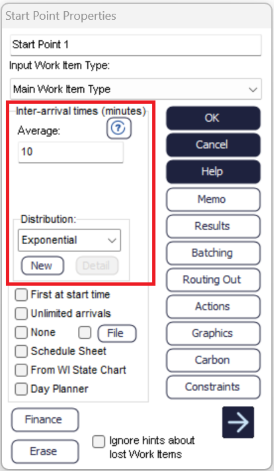
The value and distribution above are utilized by the Start Point to give the inter-arrival times. More information on what an inter-arrival time is, can be found here.
Distribution Type
Use the drop-down box to select the distribution you want to use to generate the time for arrivals into the Start Point. There are a number of standard distributions which are available in Simul8.
You can also click the NEW button to create a new distribution of your own.
Distribution Detail
The DETAIL button in timing/distribution panels enables you to check and change the parameters of distribution that you have specially created for you simulation (including named distributions).
The DETAIL button is only enabled if the distribution type selection box is set to a distribution that you have defined.
New
Schedules
The arrival times can also be specified in a table of data by using the Start Point Schedule, Arrival Planner or through an external file using the Start Point Dialog.
