The operator dashboard is available through the Operations portal and
displays the data sampling plans by station. The station view of the dashboard organizes the
sampling plans by station, and the schedule view organizes the dashboard by the sampling
plan schedule. From either view of the dashboard, an operator can start or skip a data
collection.
Select Manage Stations at the top of the dashboard to add or remove stations from this dashboard.
Station View
Organizes the sampling plans by station.
The Station View has
the following sections.
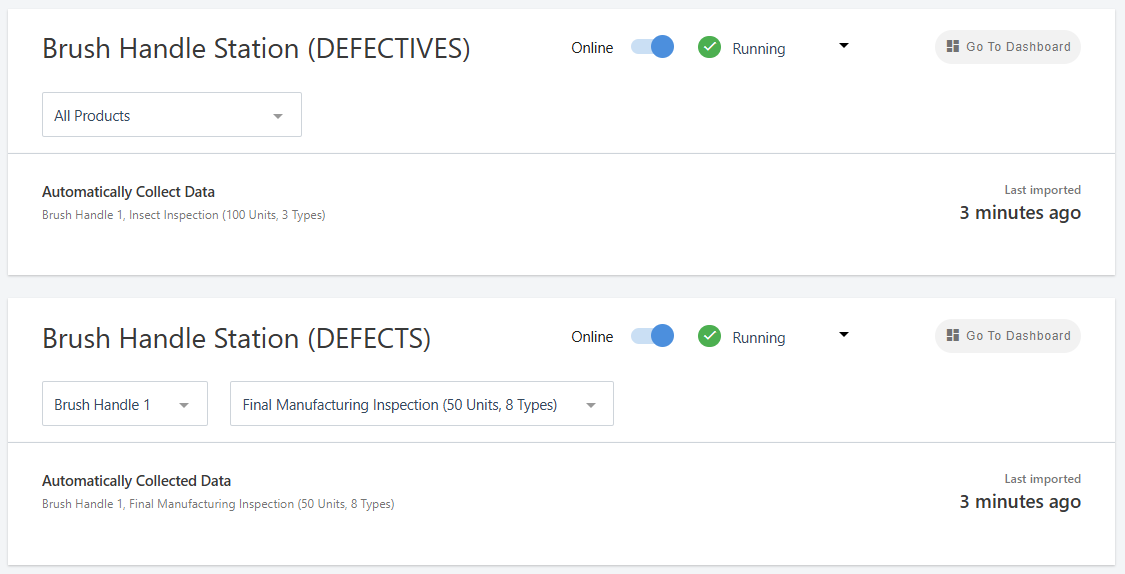
List of sampling plans by station
Lists each sampling plan and gives the option to skip the next
collection. Within each station, you can filter by product and process.
Or you can use the dashboard filter to select a product and process once
to apply the filter across all matching stations in the Operator
Dashboard. Quickly focus on the stations and sampling plans you need
without making the same selection for each station.
Station status
Indicates whether the station is online or offline. Online stations can
be Running, Idle, or Shutdown.
The station is Online and Running.
The station is Offline.
Link to the station dashboard
Select Go To Dashboard to open the station dashboard.
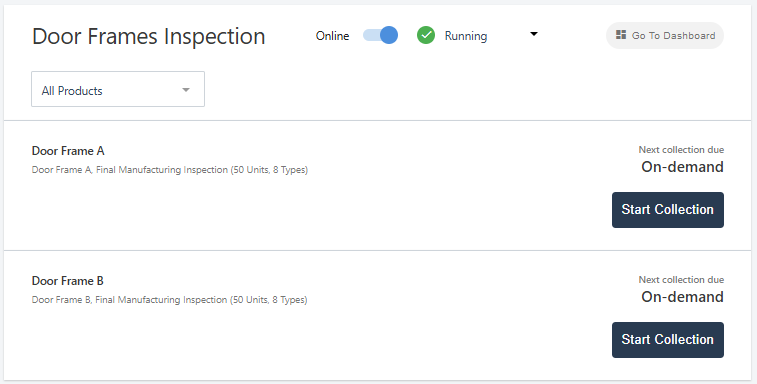
Sampling plan schedule
Lists when each sampling plan is due or when the data were last
imported. Select Start Collection to open the data collection form for a manual data collection that is
online and running.
Operations exception indicators display when the latest plotted point
fails one or more out-of-control tests or is outside the specification
limits. Select the indicator to go directly to the Station dashboard. For
more information, go to Dashboard preferences.
Schedule View
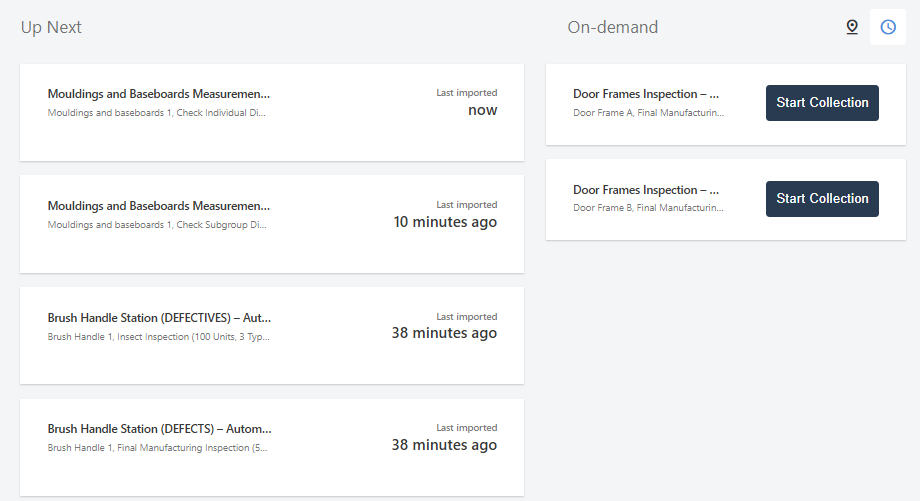
Organizes the dashboard by sampling plan schedule.
The Schedule View
has the following sections.
List of scheduled sampling plans
The scheduled plans are on the left in order of when the collection is
due.
List of on-demand sampling plans
The on-demand plans are on the right, in alphabetical order. Select
Start Collection to open the data collection form for a manual data collection that is
online and running.