You can use the specification limits and absolute limits to flag data points and
alert you to a potential process issue or data entry problem.
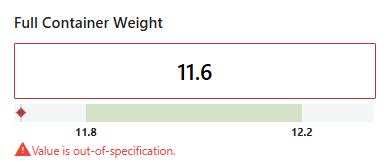
Measurements that are out-of-specification show a warning, so you can assign a special cause or add comments.
- Specification limit warning
- A warning indicates that a continuous measurement is out-of-specification.
You can add assignable causes, corrective actions, or comments to these
measurements.
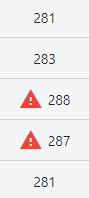
Select Display out-of-specification prompt from the dashboard preferences to automatically open a visual prompt to alert operators to add details around out-of-spec values. For more information, go to Dashboard preferences.
- Absolute limit error
- Use absolute limits to protect your data collection from data entry errors. For instance, if the jar weight target is 280g, a measurement of 50g or 500g would likely be an error. For manual data entry, you will receive an error when you try to enter data that exceed the absolute limits. For imported data, the values that exceed the absolute limits are converted to missing values.
