Cannot Find Excel
When using Excel Connections or the Get From Excel / Set In Excel Visual Logic commands for importing or exporting
data to EXCEL, you might come across the following messages: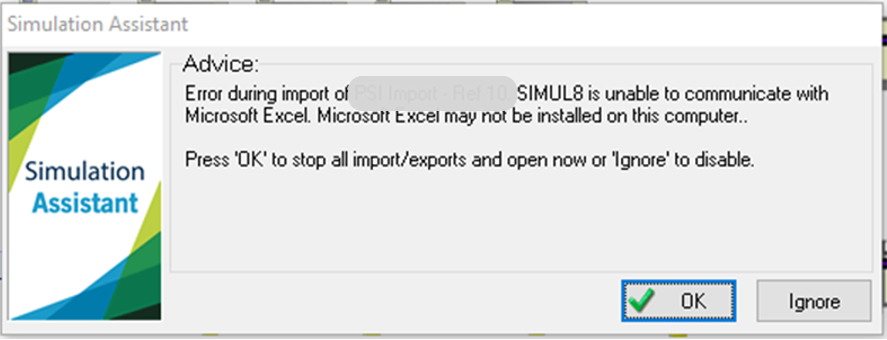
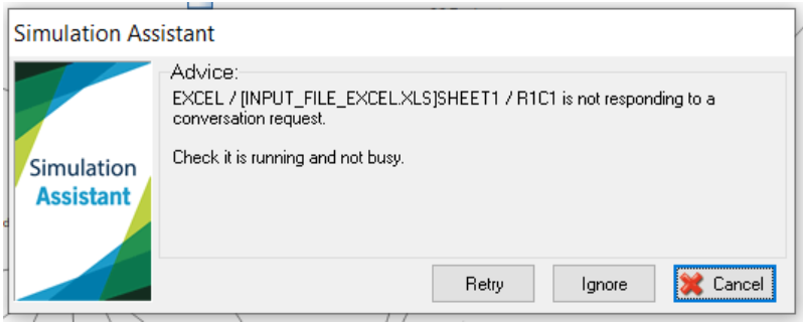
To resolve such issues:
- Make sure the Excel file's and Sheet name on the Excel connection or the Simul8 command are written exactly as written on the Excel file you are using.
- Avoid using punctuation signs and spaces for the Excel file's or the Sheet's name
- Make sure you save the Excel file, and you are not in the middle of editing something in Excel (e.g. a cell value or a macro).
If you are using Excel Connections, and this issue persists after following the last 2 tips, check "Clear Excel Number Formatting" under the Advanced tab of Excel Connections.
