Finance Matrix
The Finance Matrix will allow you to change the financial inputs for all simulation objects in your simulation. This can be
accessed via the Build tab within the Finance section.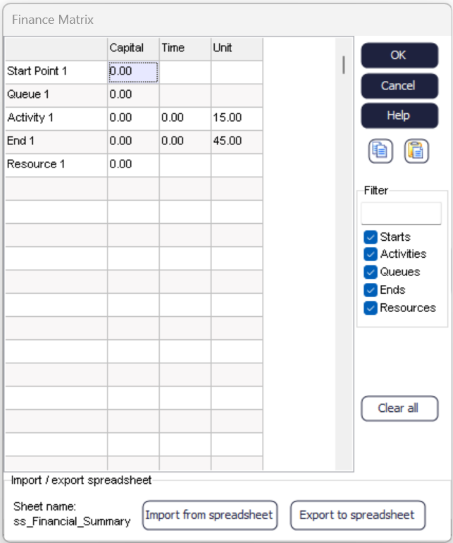
The left most column lists all relevant simulation objects in the simulation. There are
additional columns to enter the financials for an object's
Capital, Time, and
Unit costs.
Note
The unit value for End Points is revenue, and not a cost.
Use the Filter input on the right side of the dialog to search for specific object names containing text or numerical strings. While the checkboxes on the right side of the dialog will hide or display the respective types of objects in the Finance Matrix. The "Clear All" button to set all cost and revenue values on all objects to zero. You can also import and export the Finance Matrix into an internal spreadsheet from the bottom of the dialog.
The currency symbol is set in the simulation's preferences or via the Finance Settings dialog
