Cost by Work Type
Cost by Work Type is a report on how much it has cost to produce each type of work flowing through your process. To use this feature, follow the steps below:
1. Turn on reporting
Cost by Work Type is not recorded by default. In order to use it, you need to turn it
on first. From the Build tab, click on the drop-down on Costs by Work Type, and
select the Analyze During Runs option.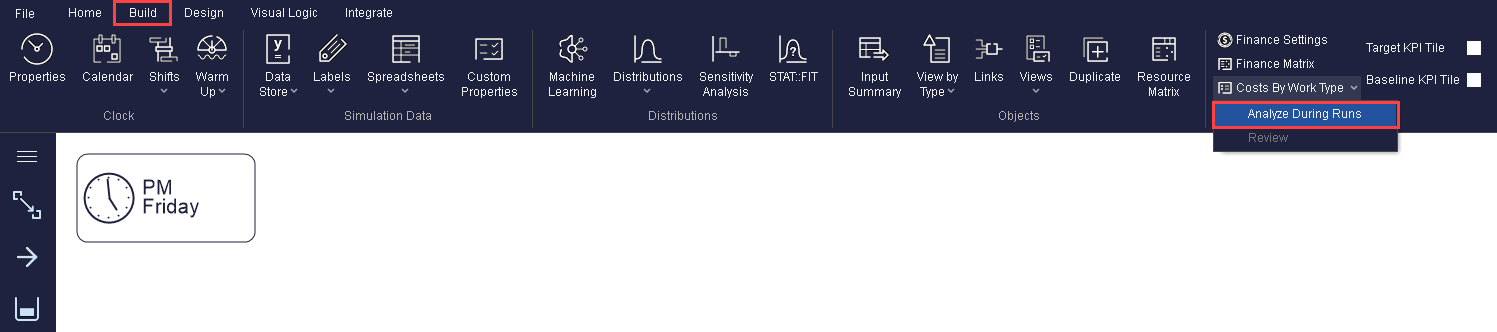
2. Work Type Label
You will need to create the special Label - Work Type. This will tell Simul8 all the
different types of work you wish to record costings for. Use Actions in the
appropriate object to set values for this Label.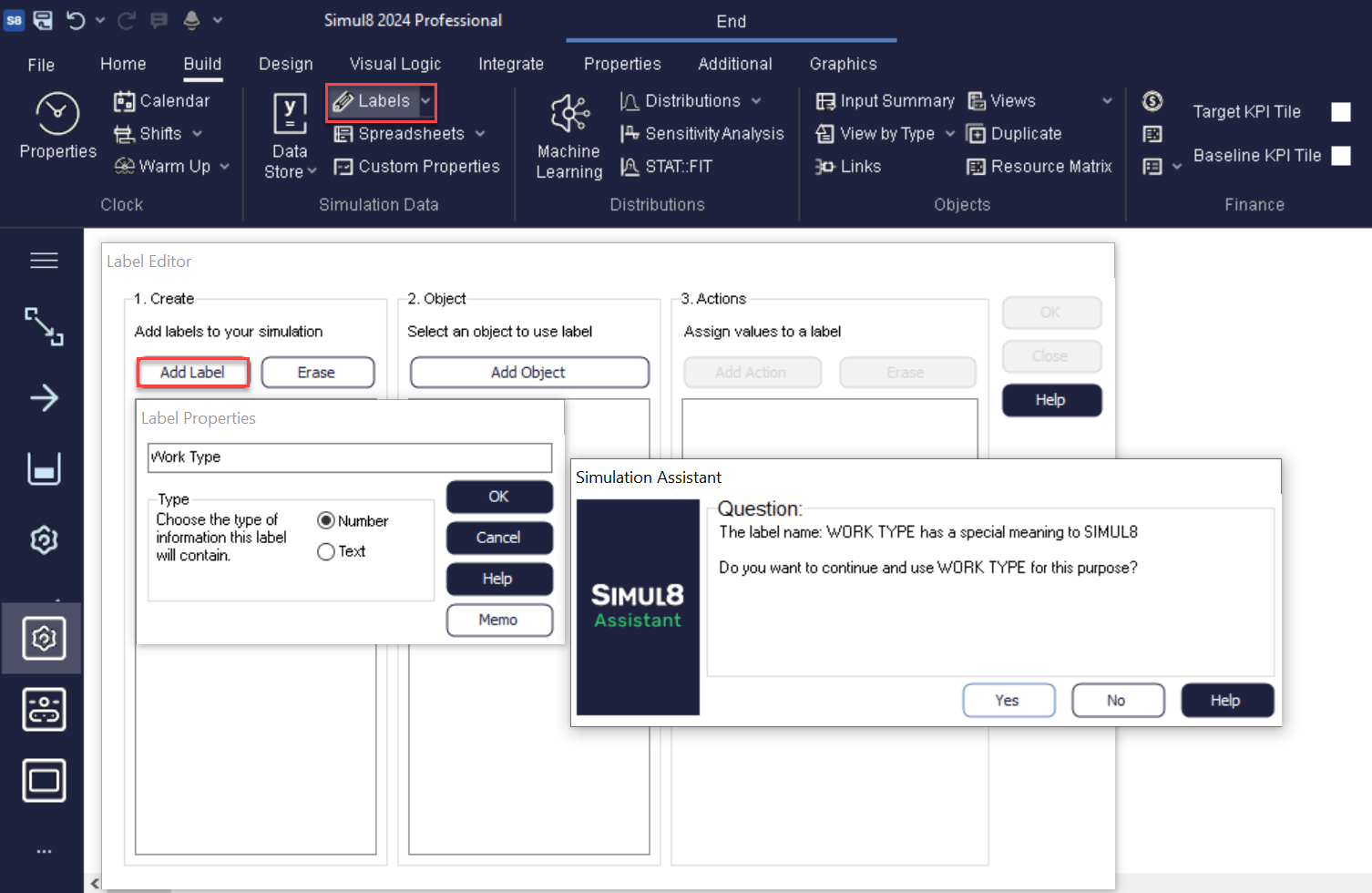
3. Run Simulation
Now run your simulation. At the end of the simulation run, click the review button in
the Cost by Work Type drop-down on the Build tab to open your report as pictured
below. 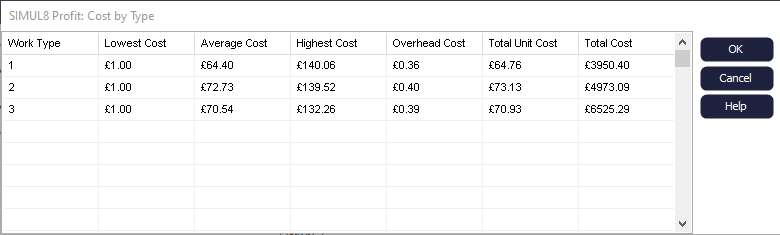
How are Costs by Work Type calculated?
The meaning of each cost is as follows:
- The Lowest, Average and Highest cost correspond to the "Usage Cost (per Unit)" that you can see if you click on the Finance dialog of Activities and Start Points. If you click the Finance button on Queues, there is also a default value for Cost Per Minute that adds up if the Work Item is waiting in a Queue.
- The Overhead Cost is calculated as the Overhead (the sum of each Object's Capital Cost) divided with the number of Work Items in the simulation.
- The Total Unit Cost is the sum of Average Cost plus the Unit Cost (Overhead Cost).
- The Total Cost is the sum of all Work Item costs of each type added together.
