Quick Access Tools
The quick access menu is highlighted in red below. The quick access menu is also accessible from any tab you're on, so it contains all the options you might want to use at any stage in building and analyzing your simulation.
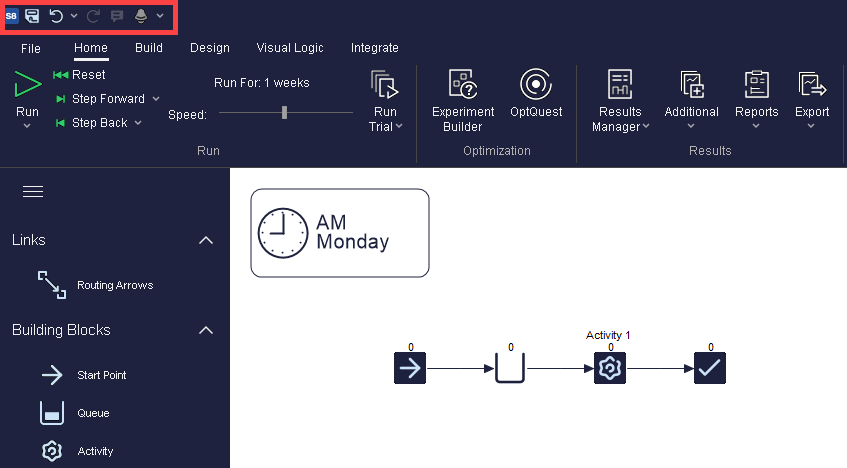
From left to right the buttons do:
 Application Button
- Options to minimize, maximize and close Simul8.
 Open Recent File
- Takes you to a list of Simul8 files you have opened recently.
 Save File
- Save the changes you've made to your simulation.
 Undo
Undo- Revert the changes you've just made. More information
 Redo
Redo- Redo the change you've just undone. More information
 Run
Run- Starts a single run of your simulation. When your simulation is running this will change to a pause button so you can stop it any time. More information
 Reset
Reset- Resets the simulation back to time zero.
 Step
Step- Step the simulation forward one event at a time. The shortcut Ctrl F8 can also be used to do this.
 Simul8 Assistant
- The Simul8 Assistant monitors your simulation building and the way you are using your simulation to provide advice to help you get it right. More information
 Show Routing Arrows
- The routing arrow button allows you to toggle on and off the display of your routing arrows between objects. Click on the drop down arrow to also access option to toggle on or off Resource Routing Arrows.
