Resource Priority Matrix
You can use the Resource Priority Matrix to gain further control of your Resources and Pooled Resources, by specifying which Activities they should prioritize their time at.
An Example of Use

Additionally, you also have two Resources; a Baker, and a Packer. We want the Baker to focus on the baking Activity, and the Packer to focus on the packing Activity. But what if the Baker can also assist with packing, and the Packer is actually a decent baker?
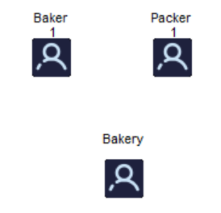
We can use the Priority Matrix to make sure each Resource only works at an Activity with a lower priority, when they are not busy at their main Activity.
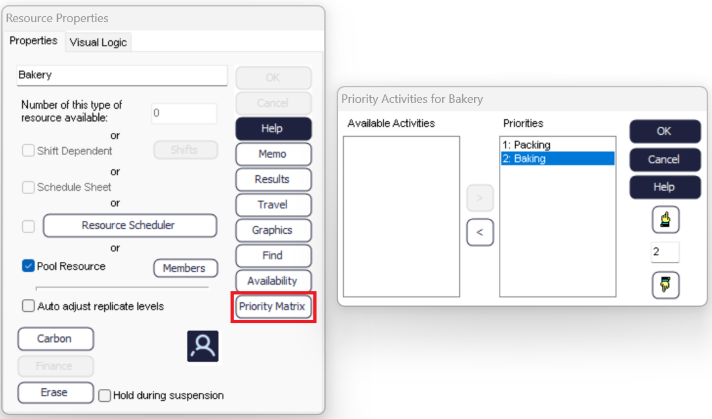
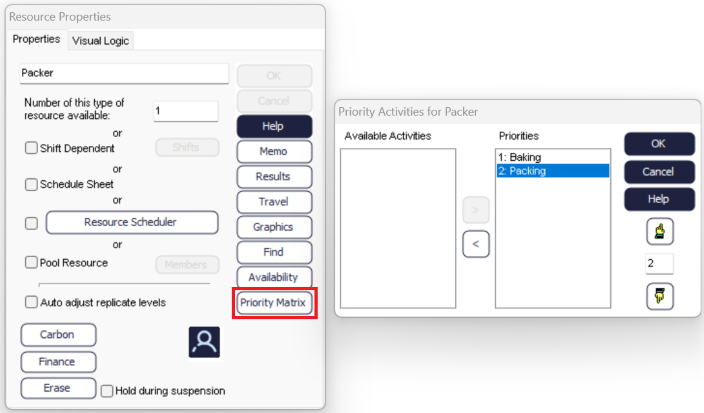
To set the priorities, double click on the Resource to open the Resource Properties, then select the Priority Matrix.
First move both Activities to the right-hand side and then use the up and down pointers to increase and decrease the priority.
Note
The Resource will prioritize the Activity with the highest number. For a larger number of Activities, you can set a Resource to give some of them equal priority by setting the number the same.