Pooled Resources
A Pooled Resource is a combination of other Resources. For example, Activity A can be
performed by Resource A and Activity B can be performed by Resource B. However, Activity
C can be performed by either Resource A or Resource B; therefore, we should create a
Pooled Resource for Activity C.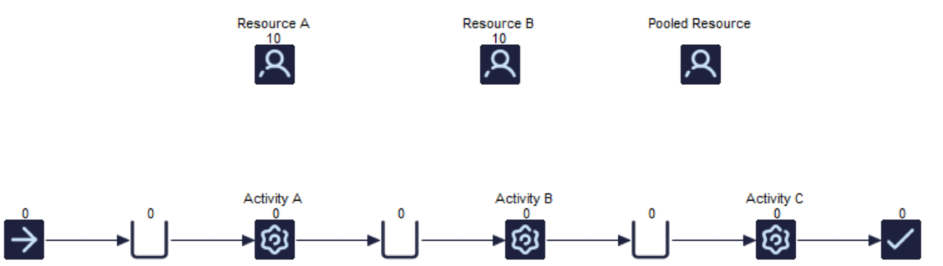
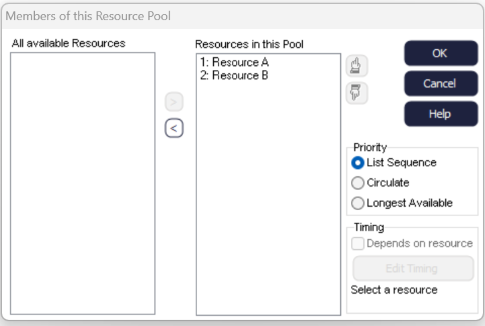
To create a Pooled Resource, drag a Resource on the screen and in the Properties tab, click
Pool. Then add your Resources to the Pool, in this example Resource A and Resource
B.
You can also create a Pooled Resource by dragging a window around Resource A and Resource B
and then right-click and choose Create Pooled Resource.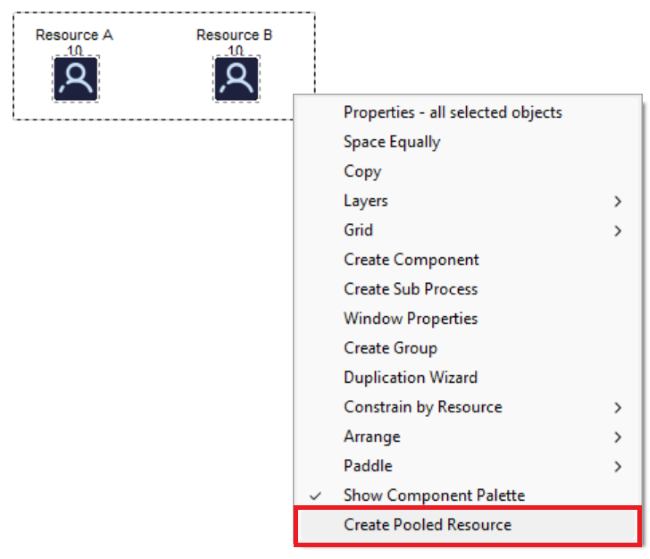
Pool Members and Behavior
When an Pooled Resource is assigned to an Activity, Simul8 will look at the Resources inside that pool and use one of the Resources which belongs to the Pool.
- Priorities:
-
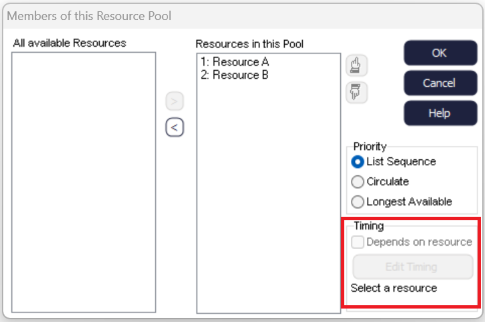
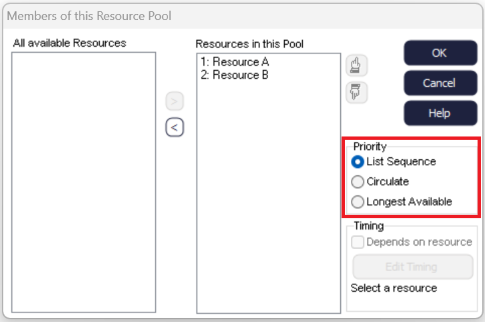
There are three different Priority options to choose from with Pooled Resources: List Sequence, Circulate and Longest Available. List Sequence means that Resources will be pulled in number order from the Member list. Circulate means that each Resource will be used in turn. Finally, Longest Available pulls the Resource that has been without work for the longest period of time.
Pooled Resources cannot be released as different types of Resource.
- Timing:
-
You can also make the Activity's timing dependent on the Resource by clicking the Depends on Resource checkbox. This allows you to change the time it takes for tasks to be completed depending on the Resource used. For example, due to lack of knowledge or experience, an Activity might take longer than if someone with more knowledge performed the task.