Route Out By Sequence
This routing method controls the destination Work Items are routed to by following a predefined repeating sequence.
Selecting the Route Out By Sequence method
To route a Work Item depending on sequence select By Sequence
from the Discipline menu in the Routing Out properties window
(applicable at a Start Point, Activity or Conveyor). By default, the Routing Out By
Sequence properties will appear. If you wish to edit this information in the future,
you can select Detail next to the By
Sequence radio button.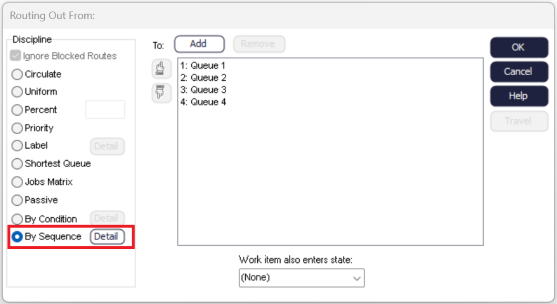
Setting the Properties
In the Route Out By Sequence properties, you can create a sequence which will be used
to control the route out destination for each Work Item. To create a sequence use
the add buttons to add the destinations from the right hand side to the repeating
sequence on the left hand side. All destinations on the right hand side can be added
more than once.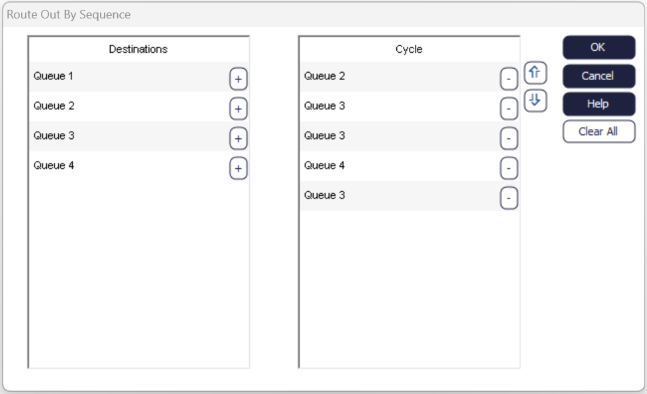
In the above image the Activity will route the Work Items in the following way:
- The first Work Item will be routed to Queue 2
- The second and third to Queue 3
- The fourth to Queue 4
- When the end of the sequence is reached it will repeat, meaning the fifth Work Item will be routed to Queue 2.
