Experiment Builder

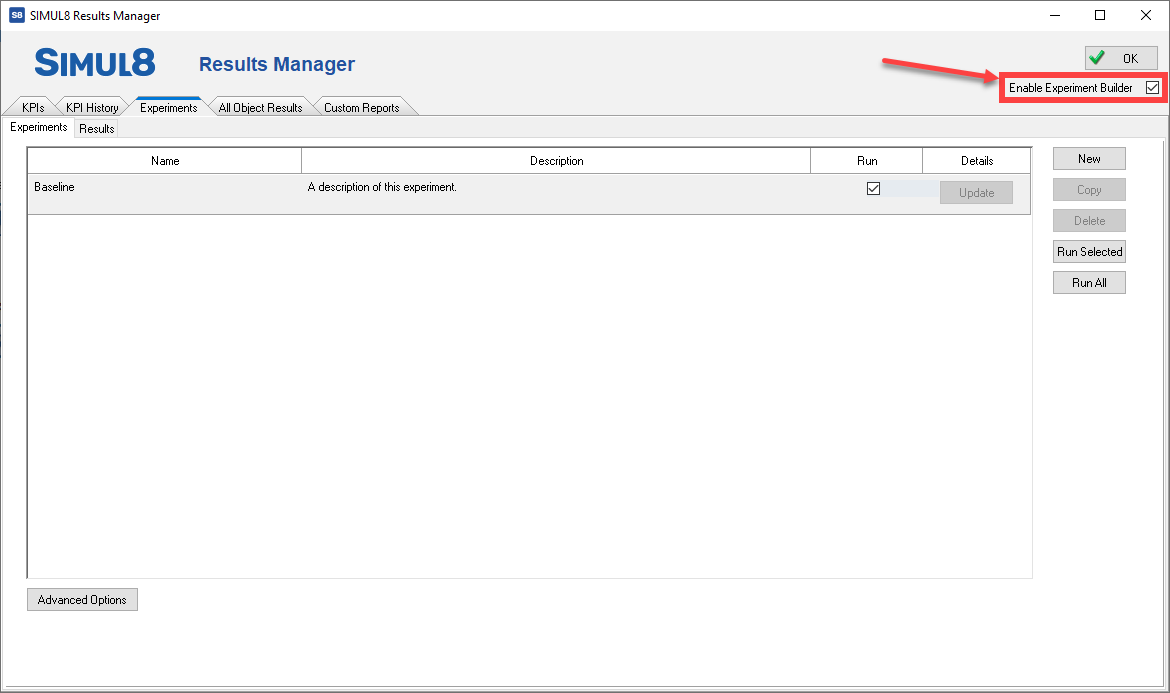
The Experiment Builder is a powerful feature that allows you to run different experiments, with the same simulation, one after the other. The Experiment Builder also manages Trials and collates all results together. It can be accessed from the Home tab or ?Advanced tab, as well as through the Results Manager.
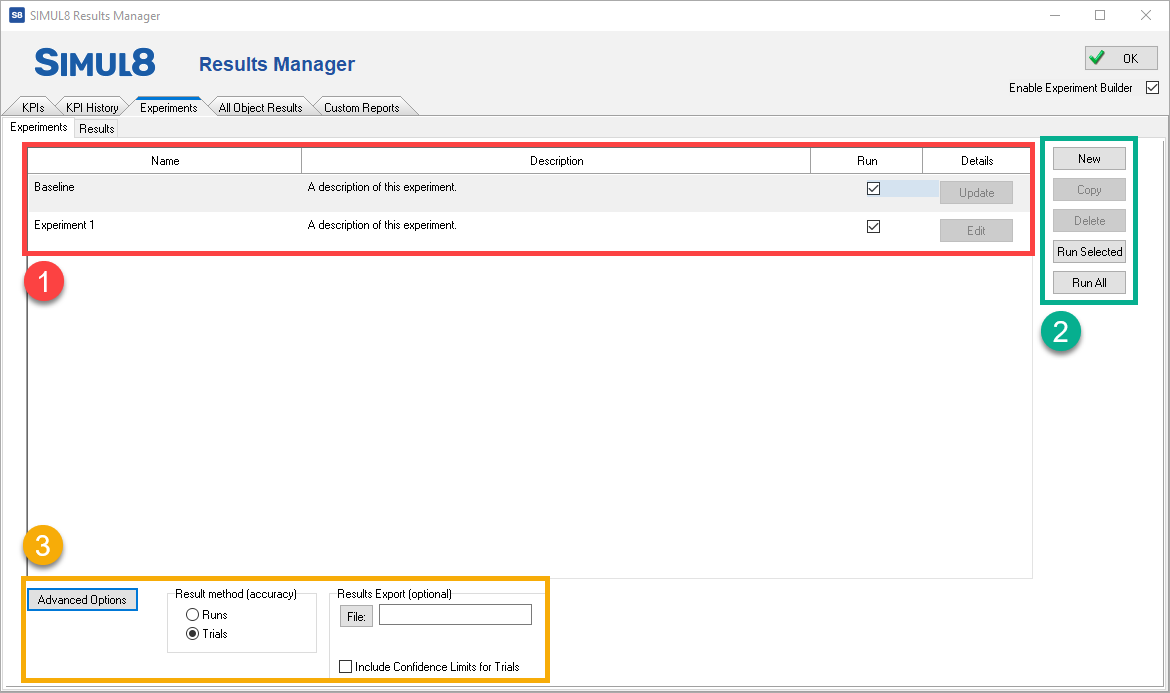
The Experiment Builder interface contains a list of all the experiments created, including the baseline (see highlight section 1 below).
Creating a new Experiment
Before creating any experiments, first select which KPI's are going to be measured in the experiments and add them to the KPI summary.
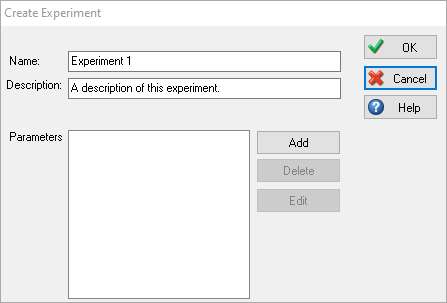
To create a new experiment, click New in the Experiment Builder window. You have the option to name your experiment and give it a description.
- Objects
- Distributions
- Global Variables
- Spreadsheets
- Shifts
- Cycle Matrix
- Jobs Matrix
- Clock Properties

More than one parameter can be changed in each experiment, so you can very quickly build up a list of different experiments with multiple parameter changes.
Results
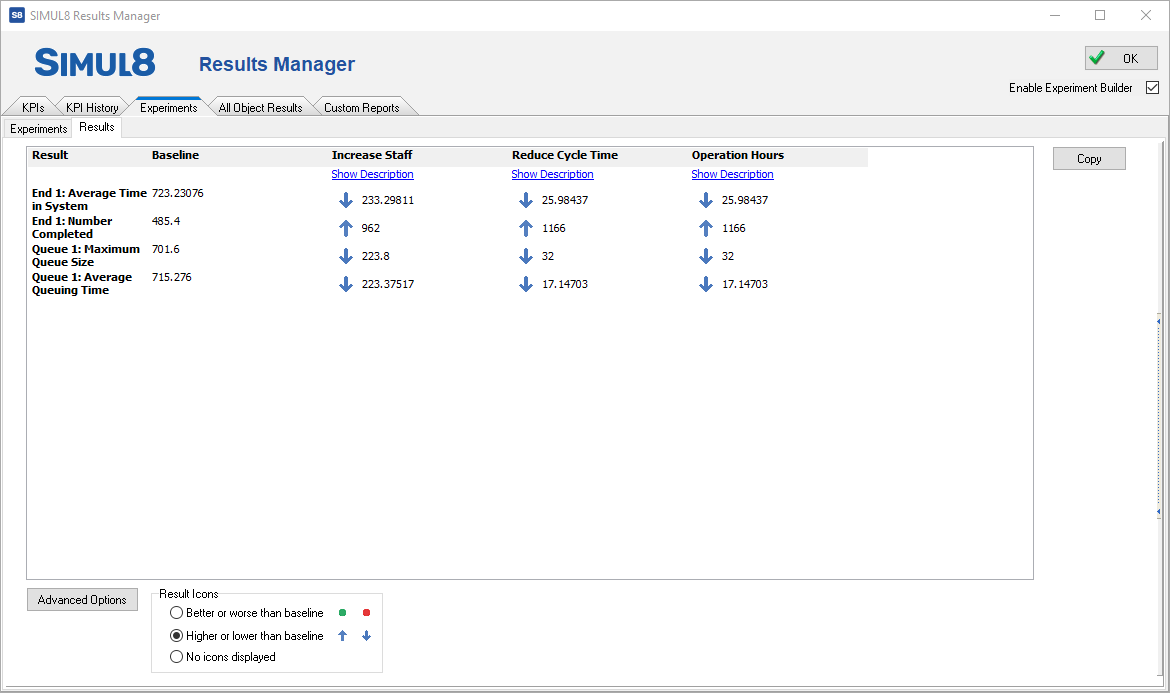
In the results window, the Baseline results are presented first with each experiment listed in columns. This makes it easy to compare the KPI's of each experiment.
Clicking on Advanced Options lets you choose the icons that are displayed next to each result to best fit your data and see if the changes have made a positive or negative impact to the different KPI's.
Exporting Results
There is a copy button to make it easy to export the data, if required.
You can also export the data automatically under the Advanced Options when setting up the experiments. Enter the location of the .TXT file you wish to export to and Simul8 will automatically print the results in this file each time you run an experiment.
Scenario Manager