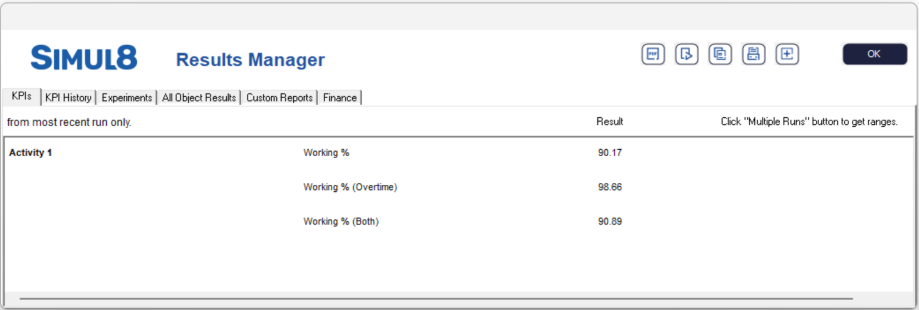
Overtime Results
When Overtime is enabled you can analyze Simul8 object results by the following time periods:
- Normal Time - this will show the results during simulation time you have defined in clock settings.
- Overtime - this will show only the results during overtime.
- Both - this will show the combined results of both Normal Time and Overtime.
To view these results, run the simulation and select a simulation object. There is a dropdown
menu at the bottom where you can select a result period to view, by default Normal Time
is selected.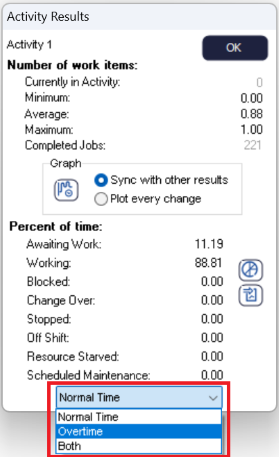
You can add these results to the Results Summary as normal by right clicking the result.
Normal Time results will appear as usual, Overtime and Both results will appear with the
result name and the time period in brackets e.g. Working % (Overtime).