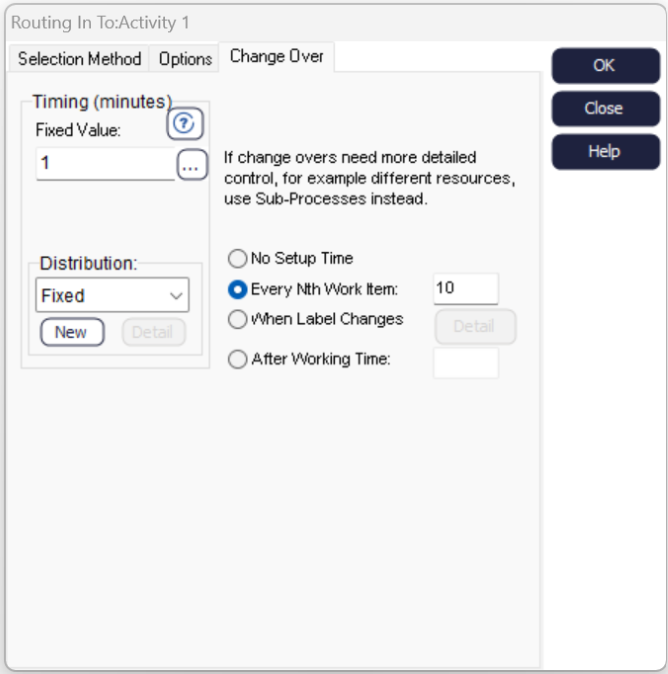
Change Overs
When an Activity starts processing a different type of work you might want additional time to be taken while the Activity is set up. Use the Change Overs tab in the Routing In dialog to set the additional time required.
- Timing
-
Using the timing box on the left hand side of the dialog to specify how long a change over takes.
You can enter a fixed value or enter a distribution to have the time vary slightly. Click the More button to use the Formula Editor to enter an expression or a Label if you need the time to vary by work type.
- Changeover Type
-
Use the options on the right hand side of the dialog to say when a changeover should happen:
- Every time a fixed number of Work Items have been processed
- Whenever the Label value of the Work Item as compared with the Label value of the previous Work Item is different
- After the Activity has been working for a specified amount of time