Result To Summary
Add result from any result dialog to the KPI Summary. Group Results can also be added to the Results Summary. To do this, you must ensure that the group name is denoted with inverted commas, for example: "Group 1".
Parameters
- Name of object - Text name of object e.g. "Var1" or "Activity 1" or Activity 1.Name
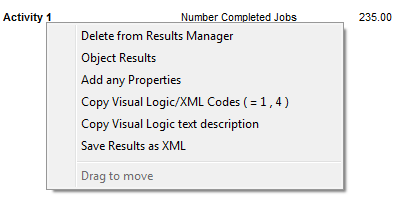
- Result Code 1 - Number. For valid codes for this object right-click on KPI Summary items
- Result Code 2 - Number. For valid codes for this object right-click on KPI Summary items
Comments
To view result codes, add an object of the same type to the KPI Summary, then right-click the object in the summary. After you identify the required code values, you can remove the object from the KPI Summary.