Get Current Object
Returns the name of the Object where the current Visual Logic Section has been triggered. The Object's Name is written to a Global Data Item (Simulation Object). The name is returned on the on the Global Data Item on the Information Store and on the bottom-left corner of the Visual Logic Editor, when hovering over the Global Data Item.
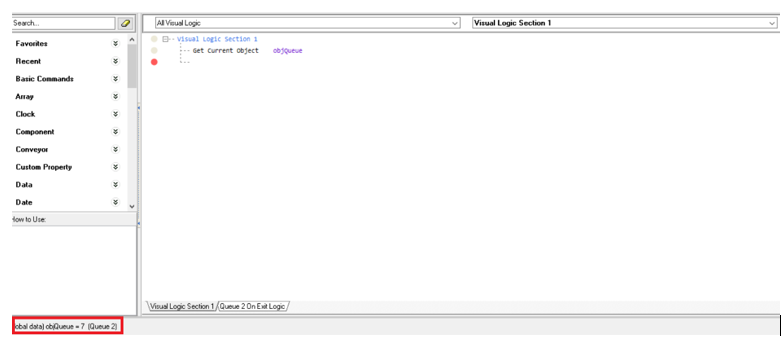
The command is useful when a common piece of stand-alone Visual Logic Section is triggered at many different Objects, where the main action remains the same but particular parameters (such as spreadsheet cell to access, linked-in Simulation Object etc.) are dependent on the specific Object from which the logic is called.
Parameters
Simulation Object (Global Data Item)
Comments
This command is often used in combination with Object Index or Object Custom Properties.
Annotated Example
In the example below, a procedure called Proc_Count is called on Before Exit Logic of Activity 1,2, and 3 respectively. By using the Get Current Object command, Visual Logic stores the name of the Activity where logic is called at the current time in a Global Data Item called objActivity. Then by using the Object's Index to reference the cells of the ssResults spreadsheet, the logic counts how many times the logic was triggered, i.e. how many Work Items have been processed by each Activity.

In that way, the number of Work Items processed by each Activity is written in a separate row.
